The EPG (Electronic Program Guide) is the brain of your streaming experience. It allows you to see what is playing now and what is coming up next across all your channels.
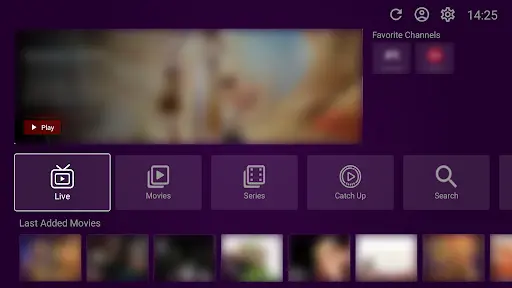
Important Note: VU Player Pro is a third-party media player created by IRBOETECH CO., LIMITED. We are not the owners or developers of this software. We provide the high-performance IPTV playlists that include the EPG data. VU Player Pro is a paid application with a 7-day free trial before requiring a license activation.
What is EPG?
EPG stands for Electronic Program Guide. It is the digital version of a TV guide. It shows you channel names, logos, show titles, descriptions, and start/end times.
How Setup Works
The best part about VU Player Pro is that EPG setup is 100% automatic.
When you load our M3U playlist into the app, the EPG link is already embedded. The app will automatically start downloading the guide data as soon as the channel list is synced.
Accessing the Guide
To see the guide, simply click the "EPG" or "Guide" button on your remote while in the Live TV section. You can scroll through time and even set reminders for upcoming shows.
Common Issues
If your EPG is not appearing, try restarting the app. Sometimes the data needs a fresh sync to display correctly. Ensure your device's date and time settings are set to "Automatic."
The "No Info" Problem
If you see "No Information" on certain channels, it is usually because the broadcast source has not updated their guide data for that specific day. This is a source-side issue and typically resolves itself within a few hours.
Get a Reliable EPG
Our playlists come with 7-day EPG data for almost all channels.
Frequently Asked Questions
Is the EPG free?
The EPG data is included for free with all our IPTV subscriptions.
Can I use a custom EPG?
Yes, the Pro version allows you to add an external EPG URL if you have one.