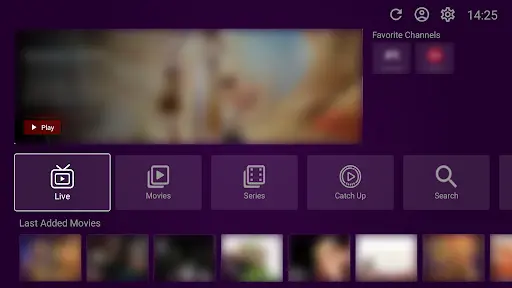
VU Player Pro is the ultimate IPTV player for Firestick, offering access to over 40,000+ live channels and 100,000+ VODs. This comprehensive installation guide will walk you through the complete process of installing VU Player Pro on your Firestick device.
Before we begin, please understand that VU Player Pro is a third-party paid application. We are an independent service provider and do not own or create the software. VU Player Pro offers a 7-day free trial to all new users, after which the app requires a separate activation license. We provide the IPTV playlists that enable you to watch premium content using this player.
Prerequisites
- Amazon Firestick: 1st, 2nd, 3rd Gen, 4K, or Lite
- Space: 100MB+ free storage
- Internet: 10Mbps+ stable connection
- IPTV Playlist: Get your premium access here
Step 1: Enable Unknown Sources
Go to Settings → My Fire TV → Developer Options. Turn on "Apps from Unknown Sources". This is mandatory for sideloading the VU Player Pro APK.
Step 2: Install Downloader App
Search for "Downloader" on the Firestick home screen and install it. This app acts as your browser to download files directly to your TV.
Step 3: Download VU Player Pro APK
Launch Downloader and enter either:
- URL: vuplayer.pro/vupro.apk
- Code: 327187
Step 4: Installation
Click Go to download the file. When finished, select Install. Once the app is installed, click Done and delete the APK to free up storage space.
Step 5: Configuration
Open VU Player Pro from your app list. You will have 7 days to test the app for free. To watch your content, enter the M3U or Xtream Codes login we sent to your email after your subscription purchase.
Unlock Full Potential
Pair your player with our optimized 4K IPTV playlist.
Troubleshooting
If the app won't install, check your remaining storage. If the download is slow, ensure you're using a 5GHz Wi-Fi connection. For any login issues with your playlist, our 24/7 technical support is here to help.