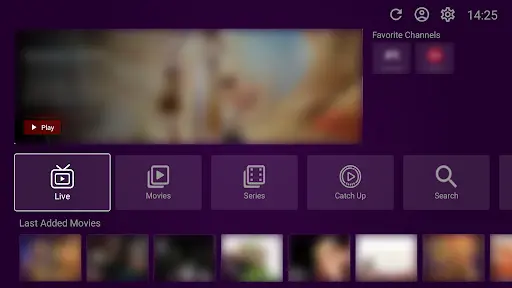
VU Player is a widely used IPTV player that allows you to stream live TV and VOD content on your Amazon Firestick. This guide provides a step-by-step process for sideloading the application and connecting it to a premium playlist.
Please note that VU Player and VU Player Pro are third-party applications. We do not own or create these apps; our role is to provide the high-speed IPTV playlists that work with them. Be aware that VU Player Pro is a premium version of this software which offers a 7-day free trial before requiring a paid activation license.
Prerequisites
- Firestick Device: Any generation (Lite, 4K, 4K Max)
- Internet: Stable connection for downloading the APK
- Space: Minimum 100MB of storage
- IPTV Service: Get a premium playlist from us
Enable Unknown Sources
To install apps outside the Amazon store, go to Settings → My Fire TV → Developer Options. Turn on "Apps from Unknown Sources". This allows the Downloader app to install the VU Player APK.
Step 1: Install Downloader App
Search for "Downloader" on your Firestick home screen and install it. This tool is essential for downloading the APK file to your device.
Step 2: Get the APK URL
You can download the pro version using:
- URL: vuplayer.pro/vupro.apk
- Code: 327187
Step 3: Download & Install
Launch Downloader, enter the URL/Code, and click Go. Once the download finishes, click Install. We recommend deleting the APK file after installation to keep your Firestick storage clean.
Step 4: Configuration
Open the app and load your IPTV subscription. If you are using VU Player Pro, you will have a 7-day trial. Use the Xtream Codes or M3U credentials we provided to start watching 40,000+ live channels immediately.
Upgrade Your Experience
Get a premium 4K playlist specifically optimized for VU Player.
Troubleshooting
If the download fails, check your Wi-Fi signal. If the app won't install, verify that "Unknown Sources" is active in your settings. For playlist errors, double-check your username and password or contact our 24/7 support team.