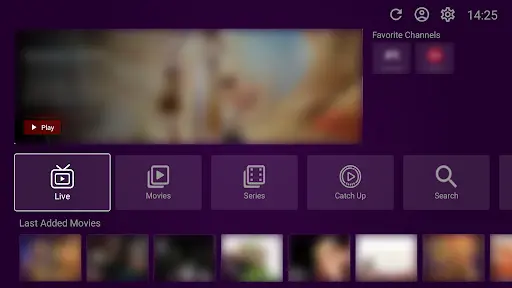
VU Player Pro is an exceptional IPTV player for Firestick, allowing for smooth access to over 40,000+ live channels and 100,000+ VODs. This comprehensive guide will walk you through the complete process of downloading and installing the app on your Firestick device.
It is important to note that VU Player Pro is a third-party application developed by IRBOETECH CO., LIMITED. We do not own, create, or host this application. Our role is to provide premium, high-performance IPTV playlists that are perfectly optimized for the VU Player Pro interface. Please be aware that VU Player Pro is a paid software that offers a 7-day free trial before requiring a license.
Quick Download Information:
Download with URL:
vuplayer.pro/vupro.apk
Download with Code:
327187
Prerequisites
- Amazon Firestick: Any generation (1st, 2nd, 3rd, 4K, or Lite)
- Stable Internet Connection: Required for downloading the APK
- Downloader App: Available free from the Amazon App Store
- IPTV Playlist: Get our premium playlist here
Step 1: Install the Downloader App
- From your Firestick home screen, navigate to Search
- Type "Downloader" and select it
- Click Download or Get to install
- Open the app once installation is complete
Step 2: Configure Developer Settings
Go to Settings → My Fire TV → Developer Options. Enable "Apps from Unknown Sources" for the Downloader app. This allows you to install VU Player Pro which is not on the Amazon store.
Step 3: Download VU Player Pro APK
Launch Downloader and enter the URL vuplayer.pro/vupro.apk or use the short code 327187. Click Go to start the download.
Step 4: Install the App
Once the download is complete, click Install. After the installation finishes, you can select Done and then Delete the APK file to save space on your Firestick.
Step 5: Launch and Configure
Open VU Player Pro from your apps. Use the 7-day free trial to explore the interface. To begin watching, enter the M3U or Xtream Codes credentials provided in your subscription email from us.
Need a Premium Playlist?
Our playlists are specifically optimized for VU Player Pro on Firestick.
Troubleshooting
If the download fails, double-check your internet connection. If the installation is blocked, ensure "Apps from Unknown Sources" is enabled in your Firestick settings. For any streaming issues, contact our support team 24/7.