
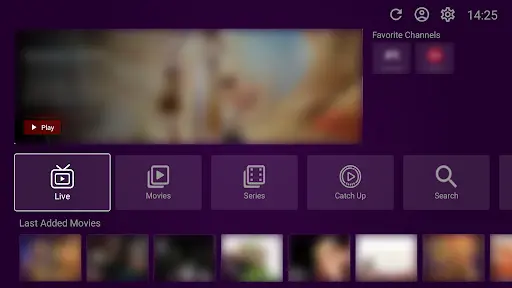
Adding a playlist to VU Player Pro is the most important step in setting up your home cinema. This guide explains how to use the official web tools to sync your channels.
Please be aware that VU Player Pro is a third-party application developed by IRBOETECH CO., LIMITED. We are an independent provider of high-performance IPTV playlists and do not own or create the player itself. VU Player Pro is a paid application with a 7-day free trial. Our service provides the content that you load into this player.
What You Need
- A valid IPTV subscription from us.
- The VU Player Pro app installed on your device.
- Your device's MAC Address (visible when you open the app).
Step 1: Get Your Credentials
After subscribing to our service, you will receive an email with your M3U URL or Xtream Codes. These are the "keys" that unlock your 40,000+ channels.
Step 2: Visit the Official Website
Open your browser and go to vuplayer.pro. This is the official developer website used for managing playlists. We recommend doing this on a computer or smartphone for easier typing.
Step 3: Add Your Playlist
On the website, you will see two fields:
- MAC Address: Enter the address shown on your TV screen.
- Playlist URL: Paste the M3U link we sent you.
Click "Upload" or "Save" once the fields are filled.
Step 4: Sync & Watch
Go back to your TV and restart the VU Player Pro app. It will automatically detect the new playlist and start downloading the channel list. This may take 1-2 minutes depending on your internet speed.
Need a Fast Playlist?
Our playlists are optimized specifically for VU Player Pro.
Troubleshooting
If the playlist doesn't appear, double-check that your MAC Address was entered correctly on the website. Ensure there are no extra spaces at the end of the M3U URL.
Frequently Asked Questions
Can I add multiple playlists?
Yes, the Pro version allows you to manage multiple playlists on the same MAC Address.
What happens after 7 days?
The app will lock and ask for activation. You will need to pay the developers for a license to continue.